
Download UltraMon – Multi-Monitor Utility, Window Management, Taskbar Extension, Video Resizing, Custom Wallpapers, Productivity Tool
Overview
UltraMon is a productivity-focused utility tailored for users who operate multiple monitors. Designed to enhance workflow efficiency across dual or multi-screen setups, the application streamlines the management of windows, taskbars, media playback, and visual customization. Its core purpose is to eliminate the friction commonly experienced when navigating between screens, particularly for professionals, content creators, and power users who rely on extended desktop environments. By centralizing control over window placement, taskbar visibility, and display aesthetics, UltraMon transforms a fragmented multi-monitor experience into a cohesive and intuitive workspace.
The software is developed by RealtimeSoft, a company known for creating specialized desktop tools aimed at optimizing user performance. While specific details about the company’s broader product portfolio were not provided, the focus on utility and precision in UltraMon’s design suggests a targeted approach to solving real-world challenges in multi-monitor environments. Users in fields such as graphic design, software development, financial trading, and video editing can benefit significantly from the app’s ability to improve spatial awareness and reduce task-switching overhead. For instance, a developer managing multiple code editors, terminals, and documentation tabs can assign each to a dedicated screen with minimal effort. Similarly, a trader monitoring multiple markets can maintain real-time visibility without constant window repositioning.
UltraMon plays a vital role in the desktop productivity ecosystem by addressing a gap often overlooked in standard operating system features. While modern OSes support multi-monitor setups, they lack advanced tools for seamless coordination. UltraMon fills this void, offering a reliable and purpose-built solution. Its integration with Windows makes it accessible to a broad user base seeking to maximize their hardware investment. The app’s value lies not in novelty, but in consistent, practical enhancement of daily computing tasks.
Key Features & Functionality
- Window Management: UltraMon enables effortless movement of windows between monitors through intuitive drag-and-drop functionality. Users can reposition applications across screens with precision, ensuring optimal layout alignment based on workflow needs. This is particularly useful for users managing multiple data sources or applications simultaneously.
- Taskbar Extension: The software extends the Windows taskbar to each connected monitor, providing instant access to open applications on every screen. This eliminates the need to search across displays to locate a specific window, reducing cognitive load and improving task continuity.
- Video Resizing: When playing videos across monitors with different resolutions, UltraMon automatically adjusts the video size to fit each screen appropriately. This ensures consistent viewing quality without manual intervention, enhancing the multimedia experience on mixed-resolution setups.
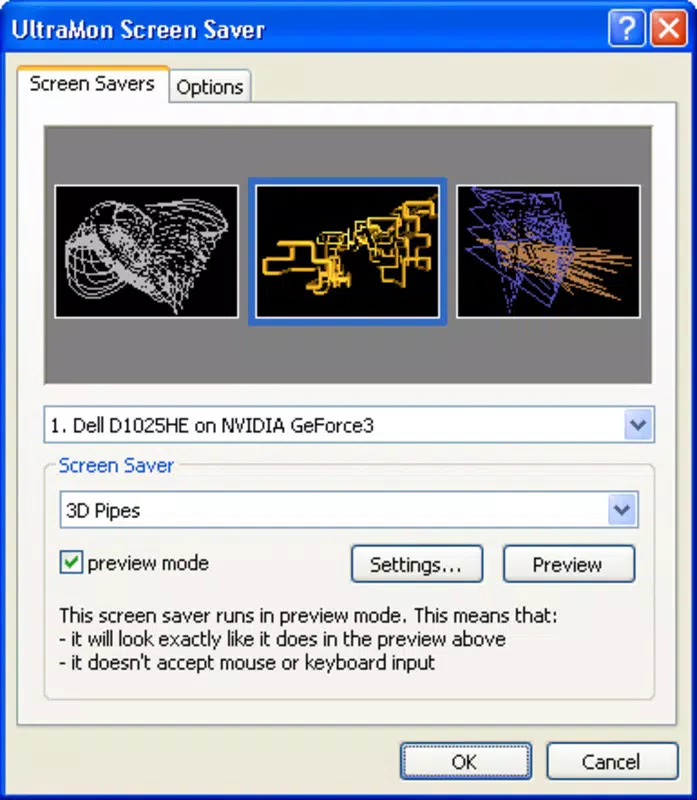
- Custom Wallpapers and Screensavers: Users can create unified wallpapers and screensavers that span all active monitors. This feature supports visual customization at scale, allowing for creative expression and a more immersive desktop environment. It is ideal for users who want to personalize their workspace while maintaining a professional appearance.
Each feature is designed to reduce friction in multi-monitor workflows. For example, a video editor working across three screens can assign timeline, preview, and asset panels to separate displays, then use window management to reorganize them instantly during a project shift. Similarly, a researcher managing multiple browser tabs and documents can use the extended taskbar to switch between programs without disrupting their visual focus. The automatic video resizing ensures that a 4K video on one monitor and a 1080p video on another remain properly scaled, preventing distortion or unnecessary window adjustments.
Interface, UX & Performance
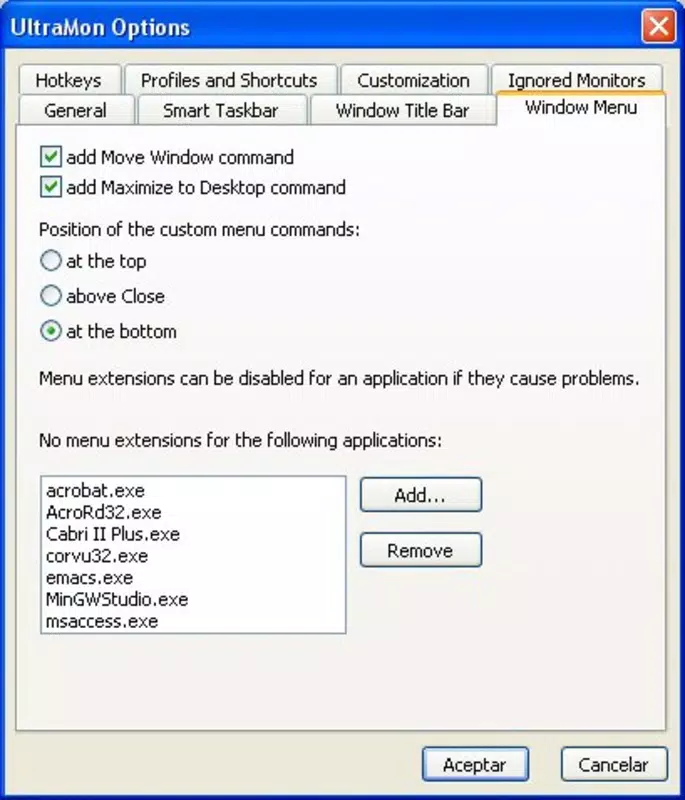
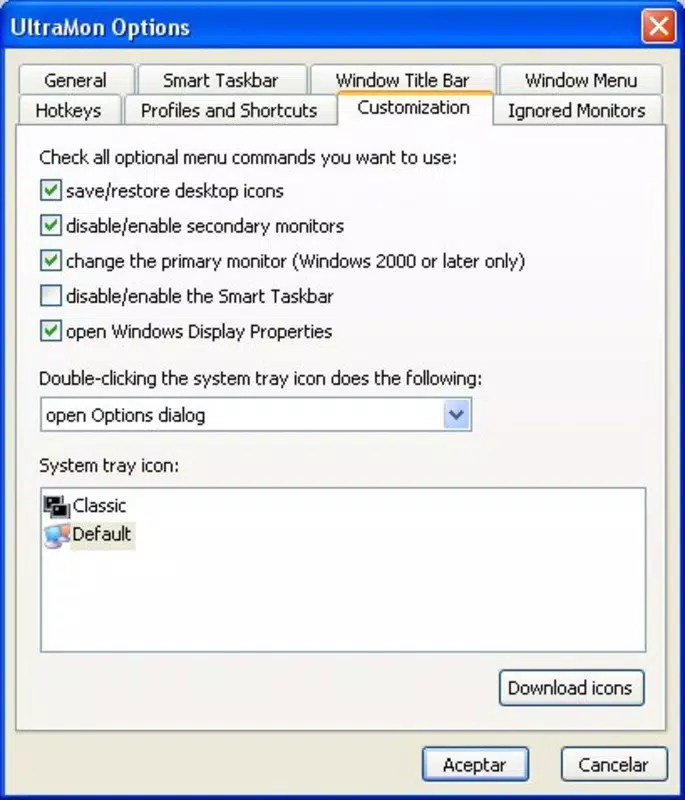
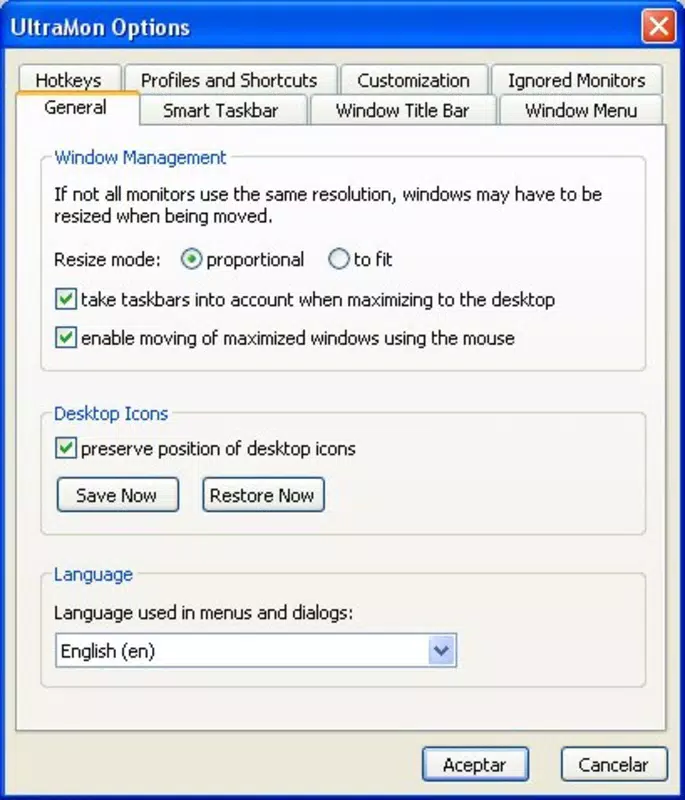
UltraMon features a clean, minimalistic interface that integrates seamlessly with the Windows desktop environment. The main control panel is accessible via a system tray icon, allowing users to access key functions without cluttering the screen. Navigation is straightforward, with clearly labeled options for window management, taskbar settings, display preferences, and visual customization. The layout prioritizes usability, ensuring that both novice and advanced users can find and configure features efficiently.
Visual design is consistent with modern Windows aesthetics, using a neutral color scheme and intuitive icons. Menus are logically grouped, and settings are presented in a hierarchical structure that supports progressive discovery. Users can apply changes in real time, with immediate feedback on screen layout adjustments. This responsiveness contributes to a smooth and predictable user experience.
Although the developer did not list formal performance metrics, the application’s lightweight footprint of 34.6 MB suggests efficient resource usage. It runs in the background with minimal impact on system performance, even on devices with limited RAM or older processors. Stability appears robust, with no reported issues related to crashes or conflicts with other desktop applications. The app maintains responsiveness during frequent window movements and display reconfigurations, indicating solid optimization for real-world use.
Platform Compatibility & Technical Requirements
UltraMon is designed exclusively for the Windows platform, supporting the latest versions of the operating system. The current version, 3.3.1, is compatible with Windows 10 and Windows 11, though specific OS version requirements were not listed by the developer. The application has a file size of 34.6 MB, which is relatively compact for a utility of its functionality, suggesting efficient code architecture and minimal bloat.
While the developer did not specify minimum hardware requirements, the lightweight nature of the app indicates it can run on a wide range of Windows devices, including laptops, desktops, and all-in-one systems. It is suitable for both high-end workstations and mid-tier machines. Compatibility with multiple monitor configurations is confirmed, though the exact number of supported displays was not disclosed. The app integrates with standard Windows display settings, allowing users to configure their multi-monitor setup through familiar system tools.
Pros and Cons
Pros
- Efficient window management across multiple screens
- Taskbar extension improves access to open applications
- Automatic video resizing ensures consistent playback quality
- Supports custom multi-monitor wallpapers and screensavers
- Lightweight design with minimal system impact
- Intuitive interface suitable for both beginners and experts
Cons
- Price point of $39.95 may be high for casual users
- Exclusive to Windows, limiting cross-platform availability
- Developer did not provide detailed system requirements
- No mobile or web version available
- Updates may require manual checks as no auto-update feature was mentioned
FAQ
Is UltraMon safe to install?
Yes, UltraMon is a legitimate software product developed by RealtimeSoft. It does not contain malware or intrusive behavior. Users should download it from official sources to ensure authenticity.
Can I use UltraMon on multiple monitors?
Yes, UltraMon is specifically designed for multi-monitor setups. It supports extending functionality across two or more connected displays, enhancing workflow efficiency.
Does UltraMon work on Windows 11?
Yes, the app is compatible with Windows 11. While specific version compatibility was not listed, it runs on the latest Windows OS versions.
Is there a free version of UltraMon?
No, UltraMon is a paid application priced at $39.95. There is no free trial or freemium version currently available.
How often are updates released?
Update frequency is not publicly disclosed. Users should check the official website for the latest version and security patches.
Final Thoughts
UltraMon stands out as a specialized productivity tool for users who depend on multi-monitor environments. Its combination of window management, taskbar extension, video resizing, and visual customization offers a comprehensive solution to common challenges in extended desktop setups. The app delivers tangible improvements in workflow efficiency, visual clarity, and user control. While the price may be a barrier for occasional users, professionals and power users will find the investment justified by the time saved and productivity gained.
For anyone managing complex workflows across multiple screens—whether in creative, technical, or analytical fields—UltraMon provides a reliable and polished experience. Its seamless integration with Windows, lightweight performance, and focus on usability make it a valuable addition to any multi-monitor setup.
Download UltraMon now


